

 Zeetech
 10/08/2026
Camera Installation at Home: Security Tips Every Homeowner Should Know
A camera in the wrong spot is almost as bad as no camera at all. Getting camera installation at home right the first time matters more than most homeowners realize. We've installed CCTV systems in villas and apartments across Dubai for years, and we've seen firsthand what separates a system that actually protects a home from one that just looks good on paper. Here's what we've learned.
Why Does Camera Placement Matter More Than Camera Count?
Camera placement determines whether your system actually catches what happens, not just how many cameras you own. A villa with eight poorly placed cameras can still miss a break-in at the side gate. Four well-placed cameras covering entry points, driveways, and blind spots will outperform a bigger, badly planned setup every time.
We start every home CCTV installation in Dubai by walking the property first. We look at every entrance, every dark corner, and every angle a person could use to approach unseen. Then we map camera positions before mounting a single device.
Where Should You Install Cameras for Full Coverage?
Front doors, back doors, driveways, and side gates need coverage first, since these are the entry points people use most often. Ground floor windows and any spot hidden from street view deserve cameras too, since those blind spots are exactly where intruders go looking for an opportunity. Garages and side alleys get overlooked a lot, even though they're often used as entry routes.
For villa CCTV installation, we typically recommend outdoor cameras covering all four sides of the property, plus indoor coverage for the main living areas and hallways. Apartment CCTV setups generally call for fewer cameras, with the focus staying on the main door, balcony access, and any ground floor windows. No two homes are exactly alike, so we shape the plan around the actual layout instead of leaning on some generic template.
Should You Choose Wired or Wireless Security Cameras?
Wired PoE cameras deliver more reliable video quality and aren't dependent on how strong your Wi-Fi signal is, which makes them a good fit for larger villas. Wireless security cameras are simpler to install and reposition, and that tends to suit apartments or rental properties well. Neither one is the clear winner overall, it really comes down to the size of your property and how permanent you need the setup to be.
We install both types regularly, and we're upfront about the trade-offs. PoE cameras need cabling work but rarely drop connection during a storm or Wi-Fi outage. Wi-Fi cameras are quicker to set up, though we always test signal strength at each planned location before mounting anything.
What Features Actually Matter for Home Surveillance?
Night vision, motion detection, and remote viewing are the three features that make the biggest difference in daily use. Night vision keeps your property monitored after dark, when most break-ins actually happen. Motion detection sends instant alerts to your phone, so you know about activity the moment it occurs rather than hours later.
Night vision, motion detection, and remote viewing are the three features that make the biggest difference in daily use. Night vision keeps your property monitored after dark, when most break-ins actually happen. Motion detection sends instant alerts to your phone, so you know about activity the moment it occurs rather than hours later.
DVR or NVR: Which Recording System Fits Your Home?
DVR systems work with traditional analog cameras and are usually more budget-friendly for basic setups. NVR systems pair with IP cameras and deliver sharper video quality, better suited for homes wanting higher-resolution recordings. Your camera type determines which recording system you'll need, so this decision usually gets made early in the planning process.
We handle both DVR installation and NVR setup, and we walk homeowners through the picture quality difference before they decide. Storage capacity matters just as much as camera quality, since footage is only useful if it's actually been recorded and saved. We size the storage to match how many days of footage you want kept.
Why Professional CCTV Installation Beats DIY Setups
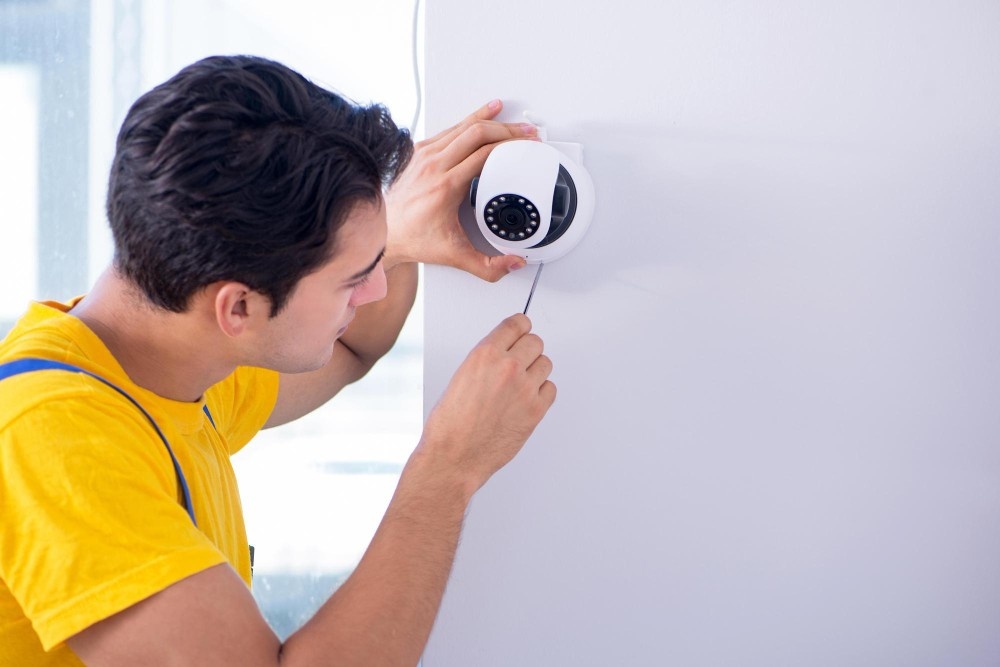
DIY camera kits often end up with gaps in coverage, messy cabling, and weak security settings that leave your feed exposed to hacking. A professional CCTV installation company works out wiring routes, power sources, weatherproofing, and network security from the very beginning. These are exactly the kinds of details that are easy to overlook without real hands-on installation experience.
Our technicians handle the full process, from initial site assessment to final testing and a walkthrough of your mobile app. We also set up CCTV maintenance schedules, so your system keeps working reliably for years, not just the first few months. A camera system is only as good as its weakest connection point, and we make sure there isn't one.
Ready to protect your home with a system built around your actual property, not a one-size-fits-all package? Get in touch with ZeeTech for a free home security assessment today.
Frequently Asked Questions
How many security cameras does a typical villa need?
Most villas need somewhere in the range of 6 to 10 cameras to get proper coverage of all the entry points, driveways, and blind spots. The actual number depends on how big the property is, how many entrances it has, and how complicated the layout gets. A professional site assessment is really the best way to get an accurate recommendation without ending up with unnecessary overlap.
Do home security cameras work well at night?
They do. Cameras with infrared night vision can pick up clear footage even in complete darkness, usually up to 20 to 30 meters out. Some of the more advanced models use color night vision, which makes identifying faces and vehicles even easier. Picking cameras rated for low light performance matters most for the outdoor entry points.
Can I view my home cameras remotely while traveling?
Yes, most modern CCTV systems these days come with a mobile app that lets you pull up live footage and recorded clips from anywhere you've got an internet connection. Secure remote access runs on encrypted connections, so your feed stays protected from anyone trying to peek in without permission. A strong password and two factor authentication add one more layer of protection on top of that.
How long does home CCTV footage typically get stored?
That depends on your DVR or NVR's storage capacity, but most homeowners get about 15 to 30 days of footage before it's automatically overwritten. Higher resolution cameras and more channels eat into that storage window and shorten it. Adding extra hard drive capacity is how you extend how far back you can review footage.


