

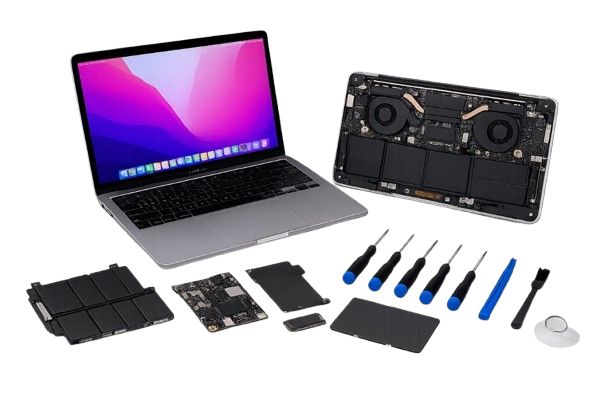
MacBooks require the correct tools, parts and procedures—especially for battery service and storage/data handling.
A structured diagnostic process helps avoid unnecessary replacements and ensures macOS and hardware work smoothly together.
We troubleshoot, repair and optimize MacBooks for home users and business users in Dubai.
We diagnose first, protect your data, then repair and test so you get a stable MacBook back.
We check hardware health, macOS status and symptoms to confirm the fault.
Where possible, we backup your data first, then confirm repair scope and cost.
We complete the repair or service with correct procedures and parts.
We test charging, performance and stability, then hand over with usage tips.
Need support for other devices or complete business IT coverage? Explore these options.
Zeetech delivers professional Apple Mac repair services in Dubai for MacBook Air, MacBook Pro and Mac Mini users, covering battery faults, keyboard and trackpad issues, macOS errors, storage problems and performance slowdowns. Every repair starts with a proper diagnosis so you know exactly what is wrong and what it will cost before any work begins.
Get Your Apple Mac Repair Services Dubai Quote
Contact Zeetech TodayOften yes, after diagnosis. The issue could be battery/power, software or internal hardware. We identify the root cause before recommending any repair.
We aim to protect your data. When possible, we recommend backup first. For severe storage failures, recovery depends on the damage level.
Yes. We can support MacBooks as part of your workplace device stack, and integrate with your IT support process.
It depends on the fault and parts availability. Software repairs and maintenance can often be done quickly; hardware work may take longer.
Zeetech’s Apple Mac repair services in Dubai cover battery replacement, keyboard and trackpad faults, macOS troubleshooting, storage support, data backup and performance optimization – for MacBook Air, MacBook Pro and Mac Mini. We work carefully to protect your data throughout and provide a clear quote before starting any repair.


