

 Zeetech
 12/10/2026
Laptop and MacBook Repair Services in Dubai: What to Expect
Laptop and MacBook repair services in Dubai should start with a diagnosis, give you a clear quote, and end with a tested device. Anything less is guesswork. If your laptop won't charge or your MacBook keeps freezing, you want answers fast and a fair price.
We know the stress. Your laptop holds your work, your photos, maybe your kid's homework. Losing it for a week feels awful.
Why Shouldn't You Ignore Small Laptop Problems?
Small laptop problems can actually be early warning signs of something bigger, something that gets harder and more expensive to fix the longer it's ignored. Fan's louder than normal. Startup's dragging. It keeps freezing on you. Shuts down out of nowhere. Runs hot. Battery's not holding a charge like it used to. Any one of these, on its own, might not mean much. But they're usually pointing at something, hardware or software, that's worth looking into before it gets worse.
Say the fan suddenly gets loud. Could be dust built up inside, could be a cooling component on its way out, or the processor's just working harder than it should be and generating more heat than normal.
If the laptop keeps operating under those high temperatures for too long, that prolonged overheating can end up affecting internal components, which leads to performance problems or shutdowns nobody saw coming.
Same goes for slow boot times or a system that keeps freezing on you. Those symptoms could be tied to storage issues, not enough system resources, software conflicts, or some other hardware problem entirely. Catching the cause early just gives you a much better shot at fixing it before it starts affecting your work, or worse, costs you your data.
A professional diagnostic check can get to the bottom of it and figure out whether you're looking at a simple repair, a component that needs replacing, or just a software fix. Dealing with the small stuff early cuts down on downtime, and it keeps what would've been a pretty straightforward fix from turning into something a lot more expensive later.
What Laptop Issues Do We Fix Most Often?
We handle a wide range of common laptop problems, everything from power and performance issues to hardware damage and operating system errors.
- Power and charging problems: The laptop won't turn on, won't charge, or just stops working the second it's plugged into the charger.
- Overheating and unexpected shutdowns: Excessive fan noise, overheating, shutdowns that come out of nowhere, or a drop in performance, these can all point to cooling or internal hardware issues.
- Windows and software problems: Blue screens, boot failures, system errors, a corrupted Windows installation, that kind of thing can stop you from using the laptop normally at all.
- Screen and physical damage: Cracked displays, damaged hinges, keyboards that aren't responding right, broken ports, individual keys that stop working, most of this can be repaired or replaced without too much trouble.
- Slow performance: An aging hard drive, not enough RAM, storage issues, too many background processes running, any of these can really drag down startup times and everyday performance.
Not every slow or malfunctioning laptop actually needs to be replaced. A lot of the time, the underlying issue can be tracked down and fixed, whether that's swapping out a faulty component, upgrading some hardware, or just resolving a software problem. A proper diagnosis is really what tells you whether repair makes sense before you go and spend money on a new device.
What Happens During Laptop Troubleshooting Services?
Our laptop troubleshooting process starts with a systematic diagnosis, we're trying to pin down the actual cause of the problem, not just patch over symptoms. Depending on what's going on, we'll look at the hardware, the operating system, drivers, storage, memory, cooling, power, whatever applies.
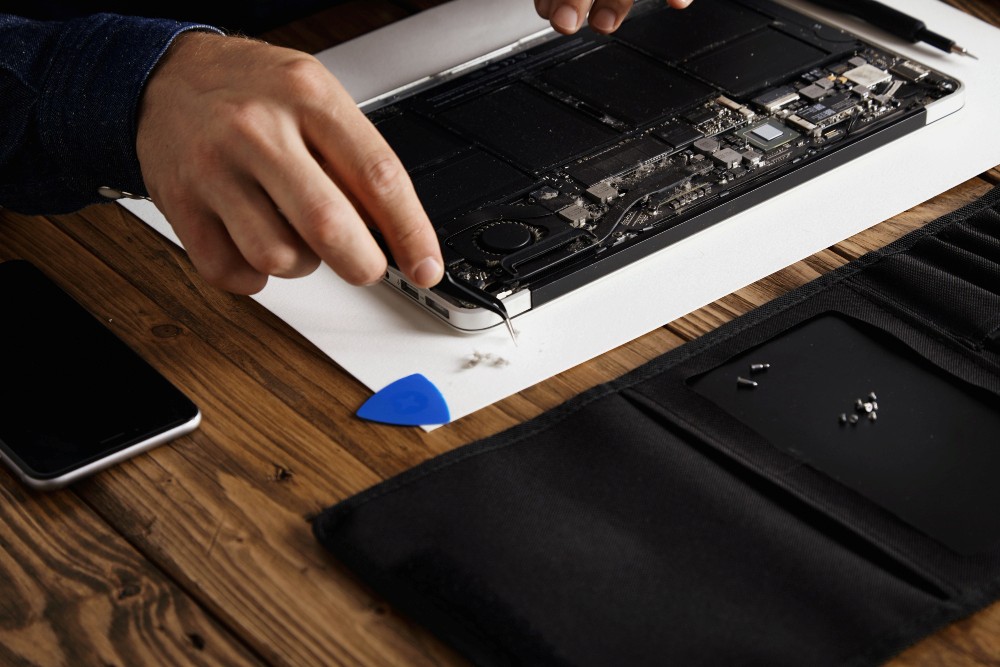
That could mean testing the charger and the charging port itself. Checking how the battery's holding up. Opening it up to look at the internal components. Cleaning out the cooling system if it's clogged with dust. Running it through boot tests, performance tests, stability tests. If it's more of a software thing, we're looking at operating system errors instead, driver conflicts, corrupted files, anything standing between you and normal use.
We're not just patching over whatever symptom you walked in with. We want to know what's actually wrong underneath it. That's what keeps us from replacing parts that didn't need replacing, and it tells us honestly whether the laptop's even worth repairing.
How Does Our Quote and Approval Work?
Once we know what's wrong, we'll sit down and walk you through it, what needs fixing, what it'll cost in parts and labor. We don't touch anything until you've said yes to that number.
If we find additional problems once the repair's already underway, we'll explain what we found and give you an updated estimate before doing any more work. Nothing extra happens without you knowing first.
Sometimes, repairing an older laptop just costs more than it's worth compared to its age, condition, or what it would cost to replace. When repair isn't really the practical option, we'll lay out the situation honestly so you can make the call yourself, instead of paying for a repair that might not actually be worth it long term.
What Should You Expect from MacBook Repair in Dubai?
MacBook repair takes a careful diagnostic process, mostly because Apple devices are built with such compact internal layouts, and depending on the model, some components might have limited upgrade options or none at all.
The repair process usually starts with diagnosing whatever problem's been reported, then checking the relevant hardware and software involved. Depending on what's going on, that could mean testing the battery and charging system, checking storage and memory performance, looking over the display and keyboard, or figuring out what's causing operating system or startup problems.
We handle MacBook diagnostics, hardware repairs, software troubleshooting, and whatever supported upgrades make sense for your specific model. Upgrade options actually vary quite a bit between MacBook generations, so we check the model and existing configuration first before recommending any kind of replacement or upgrade.
If your MacBook's running slow, overheating, not charging properly, shutting down out of nowhere, or giving you trouble with the display or keyboard, a proper diagnosis is really the best way to figure out whether it needs a repair or a component replaced altogether.
Which Laptop Repairs Does ZeeTech Handle?
Our laptop repair services in Dubai cover the common stuff, hardware problems, performance issues, software errors, component replacement, for both home and business users alike.
- Screen and hinge repairs: LCD/LED display replacement, hinge repair if it's damaged, alignment work, and anything related to the casing.
- Keyboard, touchpad, and port repairs: Faulty keys, touchpads acting up, USB ports, HDMI ports, audio ports, and charging connections that aren't working right.
- Battery and power repairs: Battery diagnostics and replacement, charger problems, DC jack troubleshooting, and other power issues along those lines.
- Performance upgrades: SSD upgrades, data migration or cloning where it's supported, checking RAM compatibility, and general system performance optimization.
- Software services: Windows installation, driver configuration, malware removal, system troubleshooting, and help with data backup.
What actually gets repaired or upgraded comes down to the laptop itself, really, the model, the condition it's in, and what's actually wrong underneath the hood. We check compatibility before we ever suggest swapping in a new component.
Is an SSD or RAM Upgrade Better Than Buying a New Laptop?
With older laptops especially, the right upgrade can genuinely change how the thing feels to use day to day, and you don't have to shell out for a brand-new device to get there.
Take an SSD upgrade. Faster startup, apps load quicker, files open faster, the whole system just feels more responsive, particularly if what's in there now is an old mechanical hard drive. A RAM upgrade helps too, particularly if the existing memory is holding back multitasking or anything memory-intensive you're trying to run.
That said, not every laptop supports RAM or storage upgrades. Some newer models have components soldered directly to the motherboard, so there's nothing to swap out, and others come with their own specific compatibility requirements that limit what's possible.
Before we recommend any upgrade, we check the laptop's model, existing hardware, what specs it actually supports, and its overall condition. If the device is otherwise in decent shape, an upgrade can extend its useful life quite a bit. But if several major components are already failing, or the upgrade cost just doesn't make sense compared to what the laptop's actually worth, replacement tends to be the more practical call at that point.
Can a Repair Shop Protect Your Data?
Data protection is something to think about before any repair that touches the storage drive, operating system, or motherboard. We offer data backup and recovery services, and we take proper precautions whenever a repair or Windows reinstall might end up affecting your stored files.
If your laptop's still accessible, it's worth backing up important documents, photos, business files, anything essential, before bringing it in for service. If the device won't start normally though, our technicians can first check whether the data's even accessible, and figure out if backup or recovery is possible before moving ahead with any bigger repairs.
Let us know which files or folders matter most to you when you drop the device off. That helps us understand what your priorities actually are and figure out the right approach to the repair from there.
A backup should really always exist independently of the laptop itself too, not just on it. If the device ends up with a serious hardware or storage failure, having a recent backup on hand cuts the risk of losing data for good down significantly.
What Should You Look for in Computer Repair Services in Dubai?
When picking computer repair services in Dubai, look for a provider that actually follows a clear process, diagnosis before repair, transparent pricing, the right replacement parts, and testing before the device goes back to you.
At ZeeTech, we start by figuring out what's actually causing the reported problem before we recommend any repair. Once we understand the issue, we explain the work involved and what it'll cost before moving forward with anything. Depending on the device and the repair itself, replacement components might include screens, keyboards, batteries, charging ports, storage drives, or other hardware as needed.
Testing is a big part of how we close out any repair. Once the work's done, we check whatever's relevant, system stability, performance, charging, connectivity, display operation, or anything else that could've been affected by the repair.
ZeeTech brings over 25 years of combined experience to the table, with certified technicians and pricing that's upfront from the start. We work with trusted brands and explain repair recommendations in plain, straightforward language, so customers actually understand what needs fixing and why, not just a bill at the end.
How Does Our Laptop Repair Process Work From Start to Finish?
We keep it simple, so you always know where your device stands.
- Diagnosis: Our technicians inspect the device and run checks to confirm the exact fault.
- Quotation and approval: You receive a clear quote for parts and labor first.
- Repair and replacement: We fix the issue, replace faulty parts, and apply proper settings.
- Testing and handover: A stress test comes first, then we hand the device back with recommendations.
What Else Can ZeeTech Help with Beyond Laptop Repair?
If one repair turns into a pattern, we can help with the bigger picture. We repair desktops, support office devices through IT support, and offer IT AMC for predictable maintenance costs. We also set up Wi-Fi for homes and businesses.
Ready to get started? Visit zeetech.ae and book your laptop and MacBook repair services in Dubai today.
FAQs About Laptop and MacBook Repair
What should I do if I spill liquid on my laptop?
Power it off right away, unplug the charger, and don't try turning it on to "test" it. Flip it upside down on a towel to drain extra liquid. Then take it to a technician quickly. Fast action gives the internal parts a better chance because moisture keeps causing damage over time.
Is a swollen laptop battery dangerous?
Yes, it can be. A swollen battery may press against the case, lift the trackpad, or crack the body. Stop using the laptop, unplug it, and don't press on the bulge. Bring it in for professional battery replacement instead of waiting, since swelling signals a battery that has failed.
How can I tell if my slow laptop has a software or hardware problem?
If slowness comes with a clicking drive, overheating, or crashes during simple tasks, hardware is likely involved. If it happens after installing apps, or Windows feels cluttered, software is the more likely cause. A technician can run checks to confirm which one, so you fix the right thing.
Why does my laptop get hot and shut down by itself?
Dust blocking vents, a failing fan, or dried thermal paste usually trap heat inside. The laptop then shuts down to protect its parts. Cleaning the cooling system and checking the fan often solves it. Ignoring it can damage the motherboard, so get the heat issue checked early.
What should I bring when I drop off my laptop for repair?
Bring the laptop, its original charger, and any passwords you need. Write down the symptoms, such as when the problem started and what you saw before it failed. Back up your files first if the device still turns on. These details help technicians diagnose faster and avoid repeating checks.


