
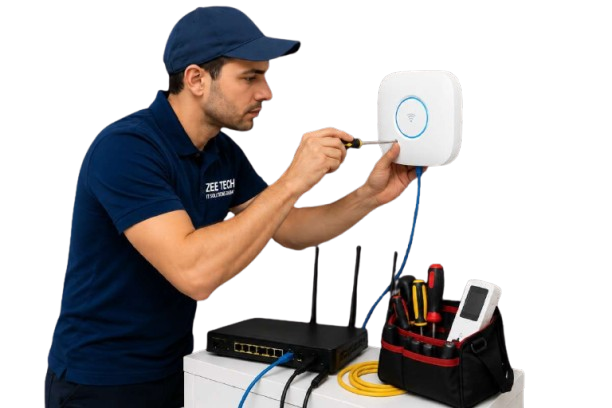
WiFi Technician in Dubai | ZEE TECH
WiFi Technician • Router Setup • Troubleshooting

WiFi Technician in Dubai

Need fast help with slow WiFi, dead zones, drops or unstable connections? Zeetech provides on‑site WiFi technicians in Dubai for homes, offices, shops and warehouses.

We troubleshoot end‑to‑end: router/modem, WiFi settings, interference, access points/mesh, cabling and connected devices—then apply fixes and recommend upgrades only when they truly solve the problem.

  • Fix slow WiFi speed, drops and unstable signal
  • Remove dead zones with better placement, mesh or access points
  • Router/modem configuration, firmware and ISP checks
  • Secure WiFi setup (guest WiFi, device isolation options)
  • Support for home and business environments across Dubai

Call: +971-55-548-7386 • Email: info@zeetech.ae

Fast On‑SiteHome & business visits
Coverage TestingRoom‑by‑room checks
Mesh & APsStable roaming setup
Secure WiFiGuest network options

Common WiFi Problems We Fix in Dubai

Many WiFi issues are caused by interference, poor router placement, outdated firmware, weak equipment, or incorrect settings—not just the internet plan. A technician visit helps you stop guessing and fix the real cause.

Dead zones

Weak signal in bedrooms, meeting rooms, corners or upper floors.

Random disconnections

WiFi drops, devices disconnect, or buffering during calls and streaming.

Slow speed on WiFi

Fast ISP package but poor wireless performance due to congestion or settings.

Poor roaming

Connection breaks when moving between rooms or floors (mesh/AP tuning needed).

Router/modem issues

ONT/router configuration errors, firmware problems, or unstable WAN connection.

Security gaps

Shared passwords, no guest WiFi, weak encryption or unknown devices connected.

WiFi Technician Services

Whether you need quick troubleshooting or a full upgrade, Zeetech can fix today’s WiFi issue and improve long‑term stability. For bigger redesigns, we can connect the visit with WiFi installation in Dubai and structured cabling.

WiFi Speed & Stability Troubleshooting

Signal checks, interference reduction, channel selection, firmware updates and configuration optimization for consistent performance.

Mesh WiFi Setup & Optimization

Correct node placement, roaming tuning, backhaul checks (wired/wireless) and stable whole‑home coverage improvements.

Access Point Installation & Tuning

Ceiling/wall AP placement, SSID planning, roaming settings and business‑grade WiFi stability for offices and commercial sites.

Router/ISP Configuration Checks

ONT/router source checks, WAN stability testing, and clear steps to escalate with your ISP when the line is unstable.

WiFi Security & Guest Network

Secure WiFi settings, strong encryption, guest WiFi setup and basic device isolation options to reduce risk.

Cabling Checks (When Needed)

Inspect link speed, ports and cabling issues impacting WiFi/AP backhaul. For upgrades, see network cabling services.

How a WiFi Technician Visit Works

A clear, step‑by‑step approach so you know what will be checked and what will change.

1
Symptom reviewWe confirm where the issue happens and which devices are affected.
2
DiagnosisSpeed tests, signal checks, interference review and router/AP settings inspection.
3
Fix & optimiseWe apply configuration fixes, adjust placement, and improve roaming/security.
4
VerificationWe retest key rooms/areas and confirm stability and coverage improvements.
5
Next stepsIf upgrades are needed, we propose practical options (mesh/APs/cabling) with clear reasons.

Key outcomes

Better coverage: Reduce dead zones and weak signal areas.

More stability: Fewer drops during calls and peak usage.

Faster support: Clear diagnosis and a structured fix plan.

Stronger security: Safer WiFi settings and guest network options.

Need a WiFi Technician in Dubai?

Message Zeetech on WhatsApp or book a visit. We will troubleshoot the issue and recommend the right fix for your layout and usage.

FAQ

Can you fix WiFi dead zones without new hardware?
Sometimes—better placement and configuration can help. If distance or walls block signal, mesh or access points are usually the correct fix.
My internet plan is fast but WiFi is slow. Why?
WiFi can be slowed by interference, congestion, old routers, incorrect settings, or distance from the router. We identify and fix the real cause.
Do you support mesh WiFi systems?
Yes. We optimise node placement, roaming settings and backhaul performance (wired or wireless) to improve stability and speed.
Can you help with business WiFi and guest networks?
Yes. We can tune multi‑AP environments, configure guest WiFi with isolation, and align settings for stable roaming and security.
Do you check cabling and switches too?
Yes. Many WiFi problems are caused by internal wiring/backhaul issues. We can inspect cabling, ports and link speeds where required.
Icon Icon
Icon Icon